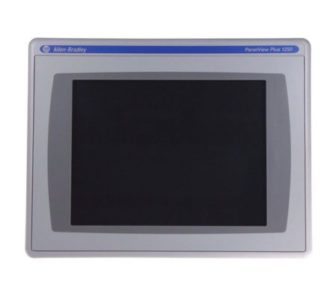
The Allen Bradley PanelView Plus 7 Series is the latest generation of operator terminals designed for advanced visualization in connected industrial systems. Available in Standard and Performance models, these HMIs feature high-resolution widescreen displays, integrated Ethernet ports, and support for scalable FactoryTalk View ME applications. Commonly used in machine-level and plant-wide automation, the Plus 7 line delivers modern capabilities in a sleek, low-maintenance design.
We are not authorized by Allen Bradley. All products come with a one year warranty.
Allen-Bradley PanelView 2711 to PanelView Plus 7 2711P Migration Guide: Replacing Discontinued HMIs
Allen-Bradley 2711P-T12W21D8S PanelView Plus 7
Allen Bradley 2711P-T19C22D9P B PanelView Plus 7 Performance
Allen Bradley 2711P-T4W22D8S PanelView Plus 7 Standard
Allen Bradley 2711P-T9W21D8S PanelView Plus 7 Standard
Allen Bradley 2711P-T15C22D9P PanelView Plus 7 Performance
FAQ: PanelView Plus 7
What is the difference between PanelView Plus 7 Standard and Performance models?
The Standard model supports up to 25 screens and 200 alarms, making it suitable for simple or mid-size applications. The Performance model supports up to 500 screens, higher screen refresh rates, more alarms, and advanced communication capabilities—including multi-controller support and video playback. Performance versions also offer expanded memory and faster processing.
What display sizes are available in the PanelView Plus 7 series?
PanelView Plus 7 terminals are available in several widescreen sizes: 4″, 7″, 9″, 10″, 12″, and 15″. Most use a capacitive touchscreen interface and are designed with a slim bezel for panel mounting. The larger sizes are ideal for applications that require a detailed process overview or rich graphical displays.
Which software is used to create applications for PanelView Plus 7?
PanelView Plus 7 terminals use FactoryTalk View Studio Machine Edition (ME) for application development. This software allows users to configure screens, alarms, data logging, and communications. Applications developed for earlier PanelView Plus terminals can usually be migrated into the Plus 7 environment with minor changes.
Does the PanelView Plus 7 support multiple controllers?
Yes—if you are using the Performance model. The Standard version supports a single Logix controller connection, while the Performance model supports multiple PLCs over Ethernet/IP. This makes it ideal for more complex systems or multi-zone operations.
Can I replace an older PanelView with a Plus 7 terminal?
In many cases, yes. However, because the PanelView Plus 7 uses a different form factor and software platform, you may need to adjust mounting dimensions and convert existing FactoryTalk ME applications.
Get A Quote
Fill in the form below, or call us now at 1-800-755-2883