

The Simatic S7-300 has served as the undisputed backbone of global manufacturing for more than two decades, powering everything from high-speed packaging lines to complex chemical processing plants. However, the industrial automation landscape has reached a definitive turning point as Siemens transitions the S7-300 into its “Product Discontinuation” phase. While spare parts remain available through specialized partners like TCI Supply, the platform has officially moved into the legacy tier of the Siemens lifecycle. This shift means that the cost of maintaining an aging S7-300 rack is now rising sharply, while the availability of technical support and firmware security updates is naturally tapering off. For plant managers, the question is no longer if they should migrate, but how to do so without causing extensive downtime.
Transitioning to the Simatic S7-1500 represents a quantum leap in processing power and system transparency. The S7-1500 is not merely a replacement; it is a high-performance controller designed for the era of Big Data and Industrial IoT. With backplane speeds up to 40 times faster than the S7-300 and a bit-processing time as low as 1 nanosecond, the S7-1500 can handle complex motion control and security encryption without compromising cycle times. Furthermore, the migration moves the engineering workflow into the TIA Portal (Totally Integrated Automation), a unified software environment that eliminates the fragmented “Step 7 Classic” databases of the past. By migrating now, facilities gain access to integrated system diagnostics (viewable on the CPU’s unique onboard display) which allows maintenance teams to identify and resolve hardware faults in seconds rather than hours.
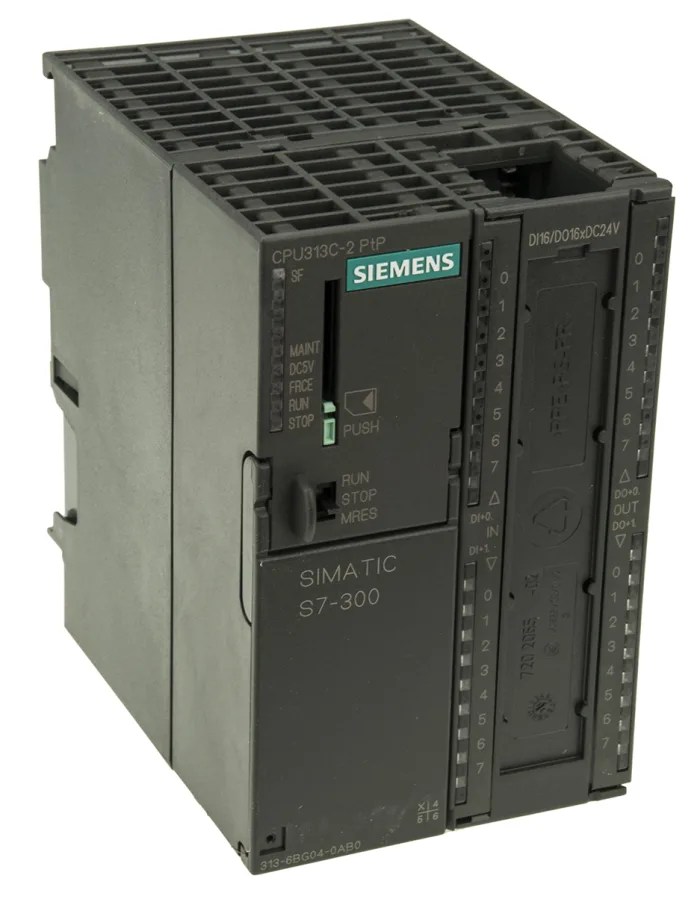
Selecting the appropriate successor in the S7-1500 family requires a meticulous analysis of work memory, execution speed, and communication overhead. In the legacy S7-300 environment, CPUs were often constrained by narrow memory limits, requiring engineers to utilize expensive Micro Memory Cards (MMC) to handle even basic data logging. The S7-1500 architecture fundamentally changes this by separating Work Memory (for program code and data) from Load Memory (stored on the SIMATIC Memory Card). This distinction allows the newer processors to handle significantly larger TIA Portal projects while maintaining deterministic scan times.
When mapping a legacy S7-315 or S7-317 to a modern equivalent, it is critical to account for the increased “code bloat” inherent in symbolic, TIA-based programming. While a 1:1 memory comparison might suggest an S7-1511, we frequently recommend moving up to an S7-1513 or S7-1515 for high-complexity applications to ensure future-proofing. Furthermore, the migration necessitates a move from the legacy 6ES7953 series MMCs to the newer 6ES7954 series SIMATIC Memory Cards (SMC). These cards are mandatory for CPU operation; without a correctly sized SMC, the S7-1500 will not boot, a common oversight during the procurement phase.
To ensure a precise hardware specification, the following table maps the most common S7-300 processors to their modern S7-1500 counterparts. This list includes standard, compact, and fail-safe variants to cover the full spectrum of industrial applications.
| Legacy S7-300 CPU | Modern S7-1500 Equivalent | Part Description | Work Memory | Required SIMATIC Memory Card (SMC) |
| 6ES7312-1AE14-0AB0 | 6ES7511-1AK02-0AB0 | Standard Entry: Basic controller for small-scale standalone machines. | 150 KB | 6ES7954-8LC03-0AA0 (4 MB) |
| 6ES7314-1AG14-0AB0 | 6ES7511-1AK02-0AB0 | Standard Mid-Range: General purpose logic for medium complexity. | 150 KB | 6ES7954-8LC03-0AA0 (4 MB) |
| 6ES7313-5BG04-0AB0 | 6ES7511-1CK01-0AB0 | Compact: Includes integrated onboard Digital/Analog I/O and high-speed counters. | 175 KB | 6ES7954-8LC03-0AA0 (4 MB) |
| 6ES7314-6EH04-0AB0 | 6ES7512-1CK01-0AB0 | Compact Plus: High-density onboard I/O with dual Profinet ports. | 250 KB | 6ES7954-8LC03-0AA0 (4 MB) |
| 6ES7315-2AH14-0AB0 | 6ES7513-1AL02-0AB0 | Workhorse: The industry standard for distributed I/O and complex logic. | 300 KB | 6ES7954-8LE03-0AA0 (12 MB) |
| 6ES7315-2EH14-0AB0 | 6ES7513-1AL02-0AB0 | Profinet Standard: Native Ethernet communication for modern networking. | 300 KB | 6ES7954-8LE03-0AA0 (12 MB) |
| 6ES7317-2AK14-0AB0 | 6ES7515-2AM02-0AB0 | High Performance: Designed for large programs and high-speed data processing. | 500 KB | 6ES7954-8LE03-0AA0 (12 MB) |
| 6ES7318-3EL01-0AB0 | 6ES7516-3AN02-0AB0 | The Powerhouse: Maximum memory and processing speed for plant-wide control. | 1 MB | 6ES7954-8LF03-0AA0 (24 MB) |
| 6ES7315-2FJ14-0AB0 | 6ES7513-1FL02-0AB0 | Fail-Safe: Standard safety CPU for SIL3/Cat4 safety circuits. | 450 KB | 6ES7954-8LE03-0AA0 (12 MB) |
| 6ES7317-2FK14-0AB0 | 6ES7515-2FM02-0AB0 | Fail-Safe High Perf: Large-scale safety logic with integrated diagnostics. | 750 KB | 6ES7954-8LE03-0AA0 (12 MB) |
Memory Card Mandatory: Unlike the S7-300, which could occasionally run very small programs without an MMC, the S7-1500 requires an SMC (6ES7954 series) to function. If you do not include the memory card in your BOM, the CPU will remain in a “Stop” state.
The “Compact” Trap: If you are replacing a 313C or 314C, you must specifically order the 511C or 512C variants. Standard S7-1500 CPUs do not have onboard I/O; they require separate modules.
Expansion Limits: The S7-1500 backplane allows for up to 32 modules per rack, a significant increase over the S7-300’s limit of 8 modules. This often allows engineers to consolidate two legacy racks into a single modern rack, reducing the need for IM 360/361 interface modules.
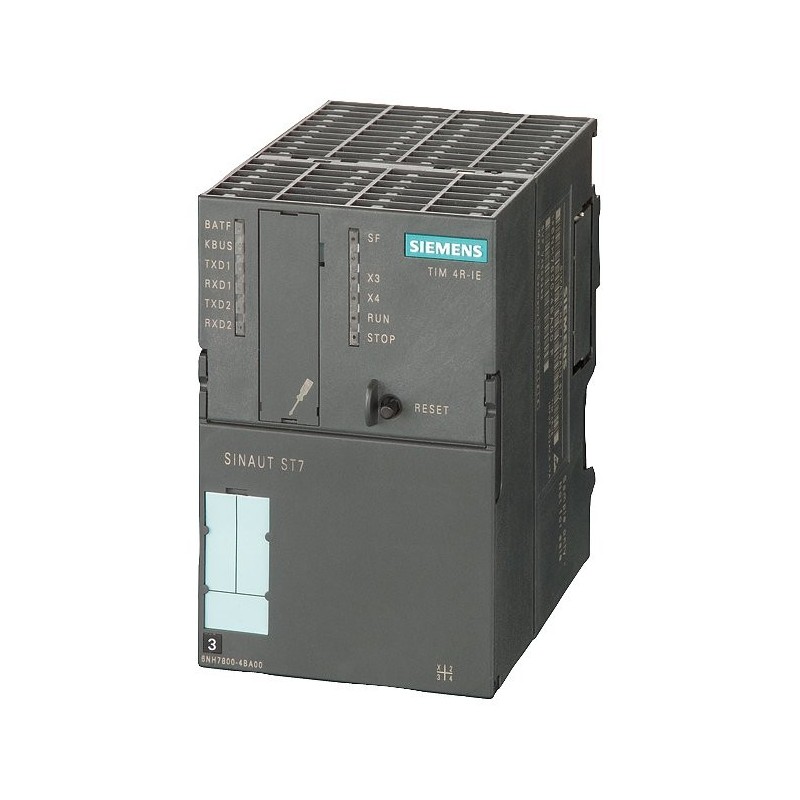
The most significant physical hurdle in a Siemens migration is the evolution of the I/O interface. The legacy S7-300 utilized a 20-pin or 40-pin front connector system that is fundamentally incompatible with the S7-1500’s high-density architecture. While the S7-300 modules were 40mm wide, the S7-1500 offers both 35mm (high-feature) and 25mm (compact) modules.
Because the wiring arms cannot be reused, every migration requires a complete re-termination of field wiring unless an expensive “fast-wiring” adapter is used. For most TCI Supply clients, the goal is a clean hardware refresh. This requires matching the legacy 6ES7321/322 modules with their modern 6ES7521/522 counterparts. Furthermore, the S7-1500 front connectors (6ES7592) now feature a “pre-wiring” position, allowing the connector to be latched onto the module without making electrical contact—a major safety and convenience upgrade for field testing.
The following table provides a direct cross-reference for the most commonly replaced Siemens I/O modules and the specific front connectors required for each.
| Legacy S7-300 Module | Modern S7-1500 Successor | Part Description | Required Front Connector |
| 6ES7321-1BL00-0AA0 | 6ES7521-1BL00-0AB0 | DI 32: 32-Channel, 24VDC Digital Input. | 6ES7592-1AM00-0XB0 |
| 6ES7321-1BH02-0AA0 | 6ES7521-1BH00-0AB0 | DI 16: 16-Channel, 24VDC Digital Input. | 6ES7592-1AM00-0XB0 |
| 6ES7322-1BL00-0AA0 | 6ES7522-1BL01-0AB0 | DQ 32: 32-Channel, 24VDC, 0.5A Transistor Output. | 6ES7592-1AM00-0XB0 |
| 6ES7322-1HH01-0AA0 | 6ES7522-5HH00-0AB0 | DQ 16: 16-Channel Relay Output (2A). | 6ES7592-1AM00-0XB0 |
| 6ES7331-7KF02-0AB0 | 6ES7531-7KF00-0AB0 | AI 8: 8-Channel Universal Analog Input (U/I). | 6ES7592-1AM00-0XB0 |
| 6ES7331-7PF01-0AB0 | 6ES7531-7PF00-0AB0 | AI 8 (RTD): 8-Channel RTD (Pt100, Pt1000, Ni100). | 6ES7592-1AM00-0XB0 |
| 6ES7331-7PF11-0AB0 | 6ES7531-7PF00-0AB0 | AI 8 (TC): 8-Channel Thermocouple (Types J, K, T, E). | 6ES7592-1AM00-0XB0 |
| 6ES7331-1KF02-0AB0 | 6ES7531-7NF10-0AB0 | AI 8 (High Res): 8-Channel Analog (16-bit resolution). | 6ES7592-1AM00-0XB0 |
| 6ES7332-5HF00-0AB0 | 6ES7532-5HF00-0AB0 | AQ 8: 8-Channel Analog Output (Voltage/Current). | 6ES7592-1AM00-0XB0 |
| 6ES7338-4BC01-0AB0 | 6ES7513-1TK01-0AB0 | SSI/Encoder: Handled via Technology Modules (TM). | 6ES7592-1AM00-0XB0 |
6ES7323-1BL00-0AA0 6ES7523-1BL00-0AA0Mixed I/O: 16 Digital Inputs / 16 Digital Outputs.6ES7592-1AM00-0XB0 (40-pin)
Connector Logic: Unlike the S7-300, where you chose between 20-pin and 40-pin connectors, the majority of S7-1500 modules (35mm width) use a universal 40-pin connector. Note that these connectors must be ordered separately; they do not come with the I/O module.
Screw vs. Push-In: Siemens offers two versions of the 40-pin connector. The 6ES7592-1AM00-0XB0 uses standard screw terminals, while the 6ES7592-1BM00-0XB0 features “Push-In” technology for faster tool-less wiring.
Analog Configuration: In the S7-300, analog modules often used “range cards” on the side of the module to set the signal type. In the S7-1500, all signal types (4-20mA, +/-10V, etc.) are purely software-configured in TIA Portal.
Migrating from Step 7 Classic to TIA Portal is more than a file conversion; it is a fundamental architectural shift. While the “Migrate Project” tool automates the transfer of hardware configurations and standard ladder logic, specialized blocks like Statement List (STL) or legacy communication SFBs/SFCs often require manual rewriting. Furthermore, the S7-1500 uses “Optimized Block Access,” which improves execution speed but changes how HMI and SCADA systems address data. Always run a “Consistency Check” before downloading to the new CPU.
These technical questions address the “hidden” challenges field engineers face when swapping hardware on the plant floor.
No. This is a common misconception. You can keep your legacy S7-300 I/O modules (6ES7321/322/etc.) by simply replacing the head station.
Unlike the S7-300, which often had a default MPI address, the S7-1500 requires an initial IP assignment through the TIA Portal “Accessible Devices” tool or the Siemens SIMATIC Automation Tool.
In the S7-300, many 32-channel modules were powered internally via the backplane. In the S7-1500, the 32-channel modules almost always require external 24VDC power connected to specific pins on the 40-pin front connector.
No. The S7-1500 has deprecated legacy Global Data communication used in Step 7 Classic.
The migration from Simatic S7-300 to S7-1500 is a critical evolution for any facility looking to reduce downtime and embrace modern diagnostic capabilities. While the hardware footprint and wiring requirements have changed, the leap in processing speed and the unification of the TIA Portal environment far outweigh the initial hurdles of the hardware transition.
At TCI Supply, we specialize in the “bridge” between legacy and modern. Whether you need the exact 6ES7954 Memory Card to get a new CPU off the ground, or a hard-to-find S7-300 replacement module to keep a legacy line running while you plan your upgrade, our team has the technical inventory to support your facility.